
Connect Instagram and Facebook
Updated Oct 16, 2026 · 2 min read
Connecting a client's accounts lets Mira publish to them and pull their results into reports. You connect accounts in Settings, under Connections, and every account belongs to one client.
During the beta
While Meta finishes reviewing Mira, Instagram and Facebook access is switched on for each person by hand. It takes one extra step the first time, then you connect as normal.
- Send us your Facebook profile link. Reply to your welcome email with a link like facebook.com/yourname. On your Facebook profile, tap ••• then Copy link.
- We add you as a tester. We'll email you as soon as it's done, usually within a day.
- Accept the Mira request on Facebook. Log into the Facebook account that manages your business Page, then open your Facebook requests and click Accept next to Mira. Meta doesn't send an email or notification for this, so you won't see one. If the link doesn't open the right screen, go to Settings & privacy › Settings › Apps and websites › Requests.
- Connect your accounts. Follow the steps below.
Before you start
Owners and admins can connect accounts. Members can see the list but not change it.
Use a Facebook login that can manage the Page you want to connect. Instagram accounts connect through their Facebook Page, so the Instagram account must be a Business or Creator account that is linked to that Page. A personal account does not work. You can switch to a professional account in the Instagram app in a minute, and it is free.
Connect an account
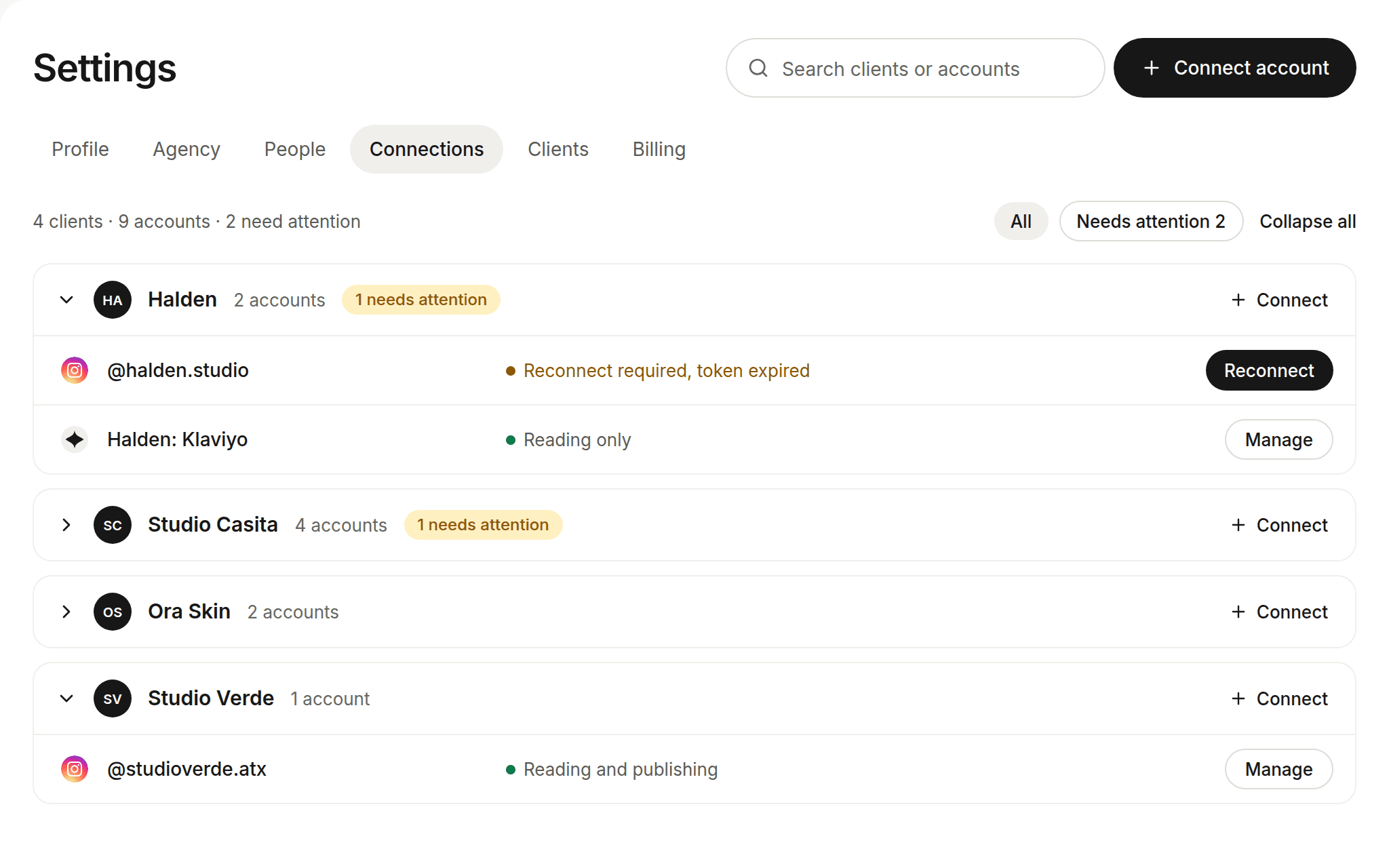
- Open Settings, then Connections.
- Choose Connect, then pick the client and Instagram or Facebook.
- In the Meta window, tick the Page and the linked Instagram account you want to share, and approve every permission.
- Back in Mira, the accounts appear under that client.
When an account needs attention
Every account row shows a status, such as Reading and publishing or Reading only. If a row says Publishing needs permission or Reconnect required, choose Reconnect on that row, sign in to Meta again and tick every account and permission.
I can't see the Mira request
- Check you're logged into the Facebook account whose profile link you sent us.
- If you haven't had our "Accept your Mira invite" email yet, we haven't added you. Reply to your welcome email and we'll sort it.
- Still stuck? Email josiah@mirasocial.co.
Was this helpful?